New Item
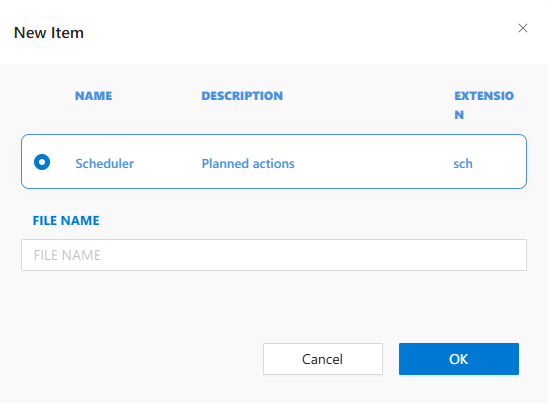
The New Item modal allows users to enter a file name for the new schedule (.sch) file being created. This ensures that each scheduled job has a unique and descriptive identifier.
UI Elements
-
FILE NAME
Input field where the user defines the name of the new schedule. The.schextension is added automatically. -
Cancel
Cancels creation and closes the dialog. -
OK
Confirms the file name and creates the schedule item.
Validation Rules
- File name must not be empty.
- No special characters are allowed.
- Names must be unique within the Schedules folder.
Usage Flow
- Triggered when
New Itemis clicked under the Schedules folder. - User enters a schedule name.
- On confirmation, the IDE opens the Scheduler Editor.
seeAlso
- #linkDocument (DeveloperGuides.IDE.Scheduler)
- #linkDocument (DeveloperGuides.IDE.Project.Asset)